How to Install IPTV on Firestick
Firestick is one of the most popular streaming devices in the world, making it the perfect choice for IPTV users. With Zentrix IPTV, you can enjoy thousands of live TV channels, sports events, movies, TV shows, and video-on-demand content directly on your Firestick.
In this step-by-step guide, you will learn how to install IPTV on Firestick in 2026 and start streaming in just a few minutes.
What You Need Before Installing IPTV on Firestick
Before starting the installation process, make sure you have:
- A stable internet connection
- An Amazon Firestick device
- An active Zentrix IPTV subscription
- Login details provided after purchase
- Enough storage space on your Firestick
Once everything is ready, you can begin the installation.
Step 1: Enable Apps from Unknown Sources
Before you install IPTV on Firestick, make sure your Firestick is connected to the internet.
Since IPTV applications are not always available in the Amazon App Store, you need to allow third-party app installations.
- Open Settings on your Firestick.
- Select My Fire TV.
- Click Developer Options.
- Enable Install Unknown Apps.
- Turn ON permission for Downloader.
Your Firestick is now ready for IPTV installation.
Step 2: Install the Downloader App
Downloader is the easiest way to install IPTV applications.
- Go to the Firestick home screen.
- Select the search icon.
- Search for Downloader.
- Install the application.
- Open Downloader once the installation is complete.
Step 3: Download IPTV Smarters Pro
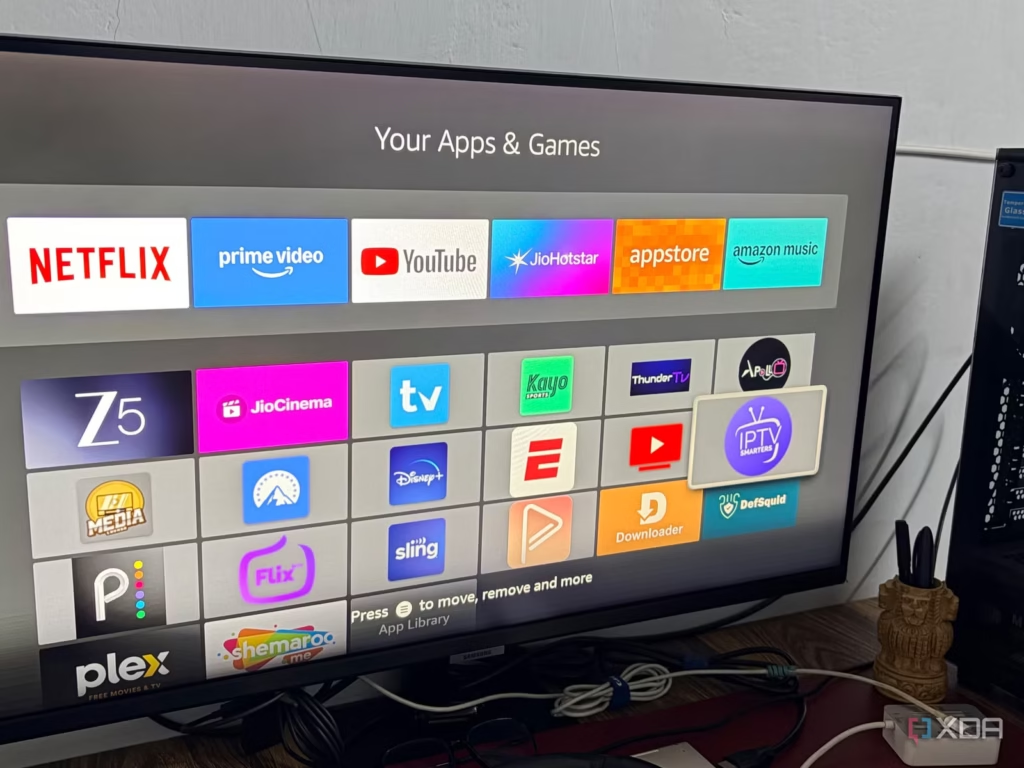
IPTV Smarters Pro is one of the most popular IPTV players for Firestick.
- Open Downloader.
- Enter the IPTV Smarters download URL.
- Click Go.
- Wait for the application to download.
- Click Install.
- Open IPTV Smarters Pro.
The application is now successfully installed.
Step 4: Add Your IPTV Subscription
After opening IPTV Smarters Pro:
- Select Login with Xtream Codes API.
- Enter your username.
- Enter your password.
- Add the server URL provided by Zentrix IPTV.
- Click Add User.
The application will load your channels, movies, and series automatically.
Step 5: Start Streaming
Once you install IPTV on Firestick, you can access:
Once your playlist is loaded, you can access:
- Live TV Channels
- Sports Channels
- Movies
- TV Series
- International Channels
- Video On Demand (VOD)
Enjoy streaming in HD, Full HD, and 4K quality on your Firestick.
Why Use Zentrix IPTV on Firestick?
Zentrix IPTV provides a premium viewing experience with:
- 40,000+ Live TV Channels
- 60,000+ Movies and Series
- Fast and Stable Servers
- Anti-Freeze Technology
- 99.9% Uptime
- Multi-Device Compatibility
- 24/7 Customer Support
Firestick users benefit from a simple interface and smooth streaming performance.
Common IPTV Problems and Fixes
If you experience buffering after you install IPTV on Firestick, try restarting your router and checking your internet connection.
Buffering Issues
If buffering occurs:
- Restart your router
- Check your internet speed
- Use a wired connection if possible
- Close unused applications
Login Errors
Make sure:
- Username is entered correctly
- Password is correct
- Server URL has no typing mistakes
App Crashes
Try:
- Clearing app cache
- Reinstalling IPTV Smarters
- Restarting your Firestick
Tips for Better IPTV Performance
For the best streaming experience:
- Use internet speeds above 25 Mbps
- Keep Firestick software updated
- Restart your device regularly
- Use the latest IPTV player version
These simple steps can improve performance significantly.
Frequently Asked Questions
Can I install IPTV on any Firestick model?
Yes. IPTV works on Firestick Lite, Firestick 4K, Firestick 4K Max, and Fire TV Cube.
Which IPTV player is best for Firestick?
IPTV Smarters Pro, TiviMate, and XCIPTV are among the most popular choices.
Do I need a fast internet connection?
Yes. For HD and 4K streaming, a stable high-speed internet connection is recommended.
Can I watch sports with Zentrix IPTV?
Yes. Zentrix IPTV offers access to sports channels, live events, movies, and entertainment content.
Conclusion
Installing Zentrix IPTV on Firestick is simple and only takes a few minutes. By following the steps above, you can enjoy live TV, sports, movies, and series on one of the most popular streaming devices available today.
If you are looking for a reliable IPTV experience with fast servers, extensive channel options, and high-quality streaming, Zentrix IPTV is an excellent choice for Firestick users in 2026.